Meeting & Conference Room Lighting in Plano, TX: Video-Call-Ready LED Lighting, Scenes & Controls
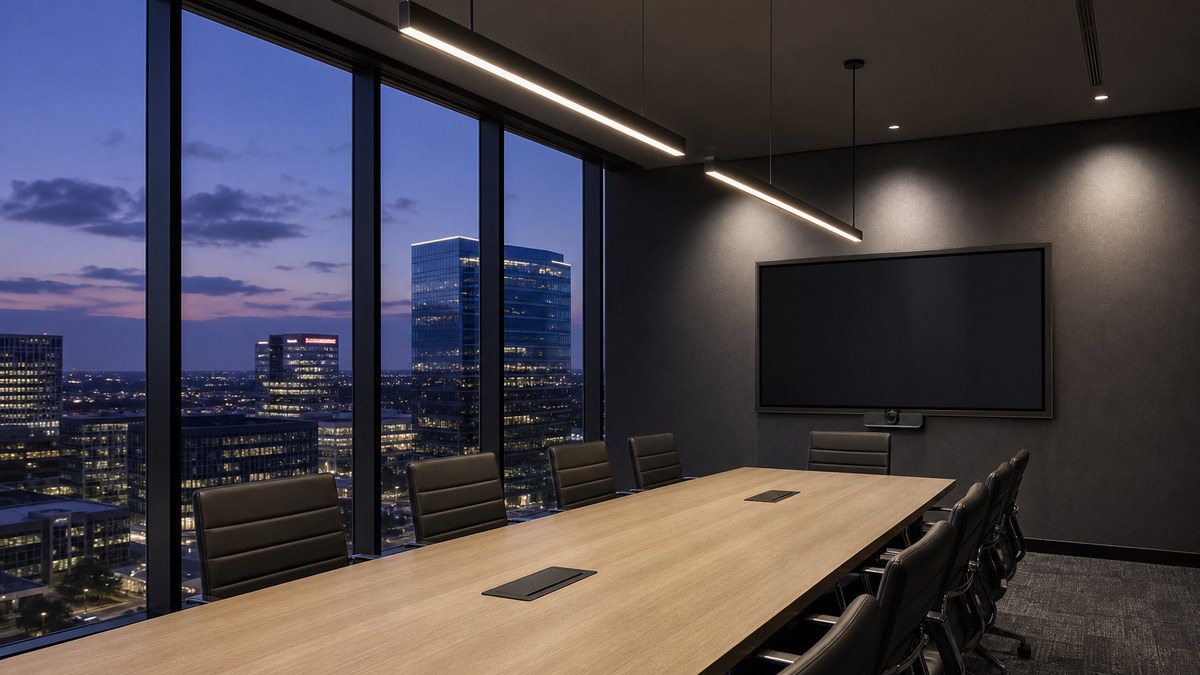
Meeting room lighting in Plano has a harder job than it did a few years ago. The same conference room now hosts in-person workshops, client presentations and hybrid video calls where half the participants are on a screen. Light that looked fine for a whiteboard session can make people on camera look tired, shadowed or washed out, and a room with one wall switch gives presenters no way to dim for a display without plunging the table into darkness.
This guide is for office managers, facilities teams, property managers, AV integrators and business owners in Plano, Legacy, Granite Park, Downtown Plano and the rest of Collin County. It explains what good conference room lighting looks like, how to light rooms for video conferencing, how to plan scenes and lighting controls, which fixtures suit boardrooms, huddle rooms and training rooms, and how to plan an upgrade without taking meeting rooms offline for weeks.
Good meeting and conference room lighting is even, glare-free and camera-friendly, with light on faces and walls (not only on the table) and simple scene controls that match how the room is used.
- Faces first: plan for vertical light on participants' faces, not just light on the desk surface
- Color: one consistent color temperature, usually 3500K–4000K, with high color rendering (90+ CRI)
- Glare control: low-glare linear or panel fixtures, no bare point sources aimed at cameras or eyes
- Walls: evenly washed back and side walls so the room does not look like a cave on camera
- Displays: keep direct light off screens; dim the zone nearest the display
- Controls: zoned, flicker-free dimming with scenes such as Meeting, Presentation and Video Call, plus occupancy or vacancy sensing
- Pricing: project-specific proposal after a walkthrough of your rooms
Why meeting room lighting matters more in a hybrid office
Most Plano offices have reshaped their floor plans around collaboration. Corporate campuses around Legacy and Granite Park, professional offices along the Dallas North Tollway and Preston Road, and smaller suites in Downtown Plano and along US-75 increasingly treat meeting rooms as their most important space. People come into the office to meet, and much of that meeting time includes remote colleagues, clients or partners on video.
That shift exposes lighting problems that went unnoticed when meetings were in person only:
- Dark faces on camera: downlights directly overhead light the top of the head and the table, leaving eye sockets and the lower face in shadow.
- Glare and hot spots: bright lenses in the camera's view, or reflections off glossy tables and glass, distract remote viewers and make cameras adjust exposure badly.
- Washed-out displays: fixtures above or in front of a screen reduce contrast so slides and shared content are hard to read.
- Color mismatch: mixed lamps or daylight from windows give people an odd, uneven skin tone on video.
- No flexibility: a single switch means "all on" or "all off," with no way to set the room for a presentation, a video call or a quiet working session.
- Wasted energy: rooms left lit all day when they sit empty between bookings.
Good lighting fixes all of these at once. It also makes rooms more comfortable for long working sessions, which is part of why employees choose the office over working from home.
Lighting for people and for cameras
Traditional office lighting design focuses on horizontal illuminance: how much light lands on the desk. Video conferencing changes the priority. A camera sees faces and walls, so the light that matters most is vertical light on the front of people's faces and on the surfaces behind them.
Vertical light on faces
AV and lighting design guidance for videoconferencing rooms consistently recommends lighting participants from the front and above, at roughly a 45-degree angle, rather than straight down. In practice that usually means rows of linear or large-area fixtures set slightly forward of the seating positions, or fixtures with asymmetric optics that throw light toward the faces at the table. The goal is soft, even light across the face with no deep shadows under the eyes, nose and chin.
Fill and soft shadows
A single direction of light creates harsh shadows. A light-colored, matte table top reflects some fill light back up toward faces, and indirect or direct/indirect pendants add a soft component that smooths shadows. Large, diffuse sources almost always look better on camera than small, bright ones.
Background and walls
If the walls behind participants are dark, the camera sees bright faces floating in a black box, or it brightens the whole image and blows out faces. Evenly lit back and side walls, at a level close to the light on participants, give a balanced, professional image. Wall washers and linear wall-grazing fixtures are the usual tools. Muted, mid-tone matte wall finishes help; high-gloss paint, chrome and glass create reflections.
Displays and projection
Direct-view displays and projector screens both lose contrast when light falls on them. Keep fixtures directly in front of a screen on their own dimmable zone, use fixtures with good cutoff so light is not spilling onto the display, and avoid uplighting the ceiling right above a projector screen.
Open a video call from your conference room camera and look at the preview. If faces look darker than the walls, if you can see bright fixture lenses in the frame, or if people at the end of the table fall into shadow, the room's lighting is working against the camera.
Color temperature, CRI and flicker
Color quality matters in meeting rooms for the same reason it matters in retail: people are looking at people. Faces, product samples, printed material and brand colors all look better under good light.
- Color temperature: most offices choose 3500K or 4000K for conference rooms, which reads as neutral, alert and natural on camera. Warmer 3000K can suit executive boardrooms and client lounges. Whatever you choose, keep it consistent across every fixture in the room so skin tones do not shift from seat to seat.
- Tunable white: tunable-white LED fixtures let you adjust color temperature by scene, for example a cooler setting for working sessions and a warmer setting for evening events. They are useful where rooms double as event or hospitality spaces.
- CRI and R9: 90+ CRI with a strong R9 (saturated red) value keeps skin tones healthy and avoids the gray, flat look of low-cost fixtures.
- Flicker: cameras can pick up flicker that eyes barely notice, showing up as rolling bands on screen. Specify LED drivers rated for low or flicker-free operation across the full dimming range.
- Color consistency: fixtures should come from tight color bins, so a row of linear lights does not show visible tint differences.
| Room type | Typical color temperature | Lighting priorities |
|---|---|---|
| Executive boardroom | 3000K–3500K, or tunable white | Premium look, face lighting, wall washing, scenes for presentations and video |
| Standard conference room | 3500K–4000K | Even, glare-free light, display zone, video call scene |
| Huddle room / focus room | 3500K–4000K | Simple controls, vacancy sensing, soft front light for webcams |
| Training room / classroom | 4000K | Uniform light for note-taking, separate presenter and screen zones |
| Podcast / content studio | Tunable white | High-CRI key and fill light, dimmable background accents |
| All-hands / multipurpose room | 3500K–4000K, or tunable white | Multiple zones, stage or presenter lighting, event scenes |
These are starting points. Daylight, wall finishes, furniture and brand standards all influence the final choice, which is why a quick on-site mockup of one or two fixtures is often worth doing before a full rollout.
Fixture options for Plano conference rooms
Linear pendants (direct/indirect)
Suspended linear fixtures over or slightly in front of the table are the most common choice for medium and large conference rooms. A direct/indirect design sends part of its light up to the ceiling for soft fill and part down for task light, which reduces contrast and glare on camera. Dimmable drivers and integrated sensors are widely available.
Recessed linear and slot lights
Narrow recessed linear fixtures give a clean, architectural look in lower ceilings. They work well in rows parallel to the table, set slightly forward of the seating so light reaches faces rather than only the tops of heads.
Low-glare panels and troffers
Many existing Plano office suites have 2x2 or 2x4 grid ceilings. Modern low-glare LED panels and center-basket troffers drop straight into the grid and can transform a room with minimal ceiling work. Look for fixtures with good glare control so remote participants do not see bright squares in the camera view.
Wall washers and wall grazers
Recessed or surface wall washers give the back wall an even, bright plane, which is one of the most effective improvements you can make for video. Grazers bring out texture on stone, wood or acoustic panels in boardrooms.
Downlights (used carefully)
Downlights are useful for circulation, credenzas and accent, but rows of narrow downlights directly over the table are one of the most common causes of shadowed faces. If downlights are used over seating, choose wider, low-glare optics and pair them with wall and fill lighting.
Decorative and accent lighting
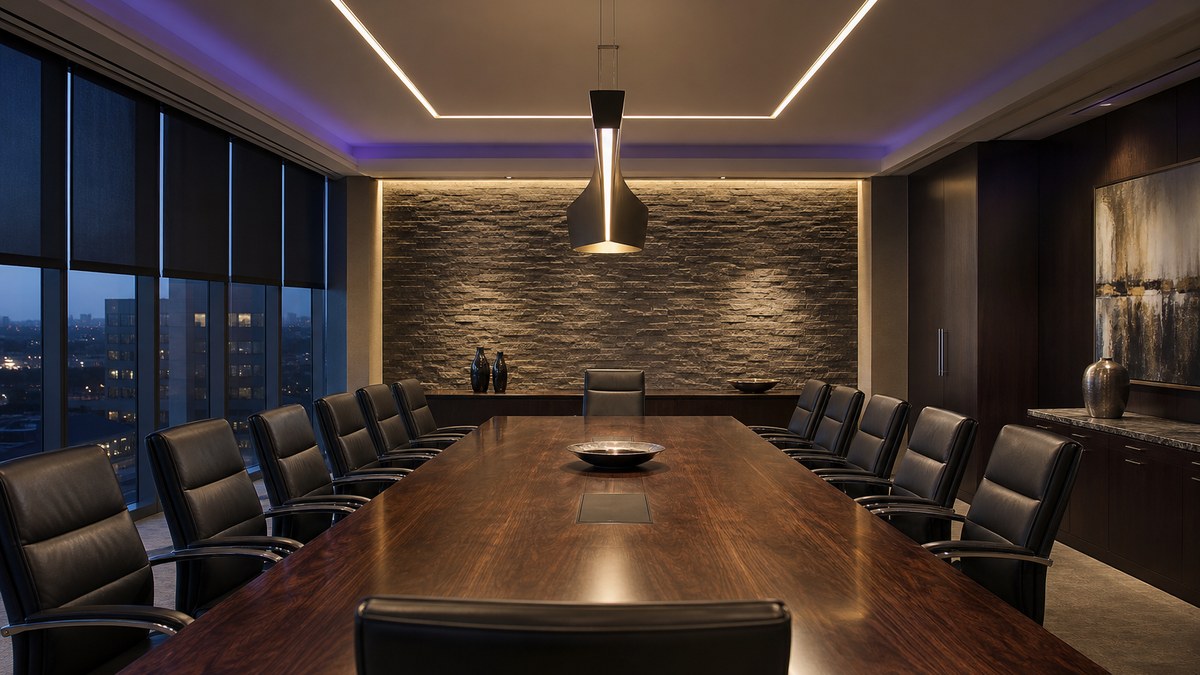
Feature pendants, cove lighting, illuminated logos and display niches give boardrooms and client rooms their character. Keep decorative fixtures on their own zone so they can be dimmed or turned off for video calls. For a signature ceiling in an executive lounge, our network partners offer fiber optic starlight ceilings.
Scenes and lighting controls
LED fixtures alone do not make a great meeting room. Controls decide whether the room is easy to use and whether lights run only when they are needed. The best systems are simple for the person walking in: one touch to start a meeting, one touch for a presentation.
| Scene | Typical settings | When to use it |
|---|---|---|
| Meeting | All zones on at comfortable levels; walls on | In-person discussions and workshops |
| Video Call | Front and face lighting up, walls balanced, decorative fixtures off, display zone dimmed | Hybrid meetings and client calls |
| Presentation | Screen zone low, table zone dimmed for note-taking, presenter area lit | Slides, demos and projection |
| Focus / Work | Even task light, lower wall levels | Working sessions and interviews |
| Event / Evening | Warmer or lower ambient, accents and decorative on | Receptions, after-hours events |
| Off / Vacant | Lights off after the room empties | Automatic between bookings |
Occupancy and vacancy sensing
Commercial energy codes generally require automatic shut-off in conference and meeting rooms, often with occupancy sensors that turn lights off after the room empties. Vacancy sensing (manual on, automatic off) is a popular choice for meeting rooms because lights do not switch on every time someone walks past an open door. Specific requirements depend on the code edition the City of Plano enforces and the scope of work, so confirm them during design.
Daylight-responsive dimming
Many Plano conference rooms sit on the perimeter with large windows, especially in glass towers around Legacy. Daylight sensors dim fixtures near the windows when daylight is sufficient. For video, pair them with shades: strong side light from a window is one of the most common reasons people look half-lit on camera.
Integration with AV and room booking
Lighting control systems can connect to the room's AV control panel, so starting a video call can also recall the Video Call lighting scene. Networked lighting controls can also share occupancy data with scheduling or building systems where your IT team wants that. We coordinate with your AV integrator so lighting and AV work as one system.
Wired, wireless or networked
- Standalone room controls: wall stations, sensors and dimmers in each room. Simple and reliable for smaller offices.
- Wireless controls: useful in existing suites where running new control wiring is disruptive.
- Networked lighting controls: central scheduling, room-by-room scenes, monitoring and reporting across a floor or campus.
For a deeper look at office-wide controls, see our Plano commercial LED lighting guide and the commercial lighting services page.
Make every meeting room camera-ready
Tell us about your rooms and we will follow up to schedule a walkthrough and a project-specific proposal.
Lighting by meeting space type
Boardrooms and executive conference rooms
Boardrooms combine function and image. Expect a combination of linear pendants or recessed linear lighting over the table, wall washing on the camera wall and the wall behind leadership seating, a dedicated display zone, decorative pendants or cove lighting, and a scene keypad. Tunable white is worth considering where the room hosts evening events or client dinners. Architectural details such as stone or wood walls deserve grazing light so they read well in person and on camera.
Standard conference rooms
The workhorse room for six to fourteen people. The biggest improvements usually come from replacing old troffers or rows of downlights with low-glare linear or panel fixtures, adding wall washing on at least the camera-facing wall, and installing a simple scene controller with a vacancy sensor.
Huddle rooms and focus rooms
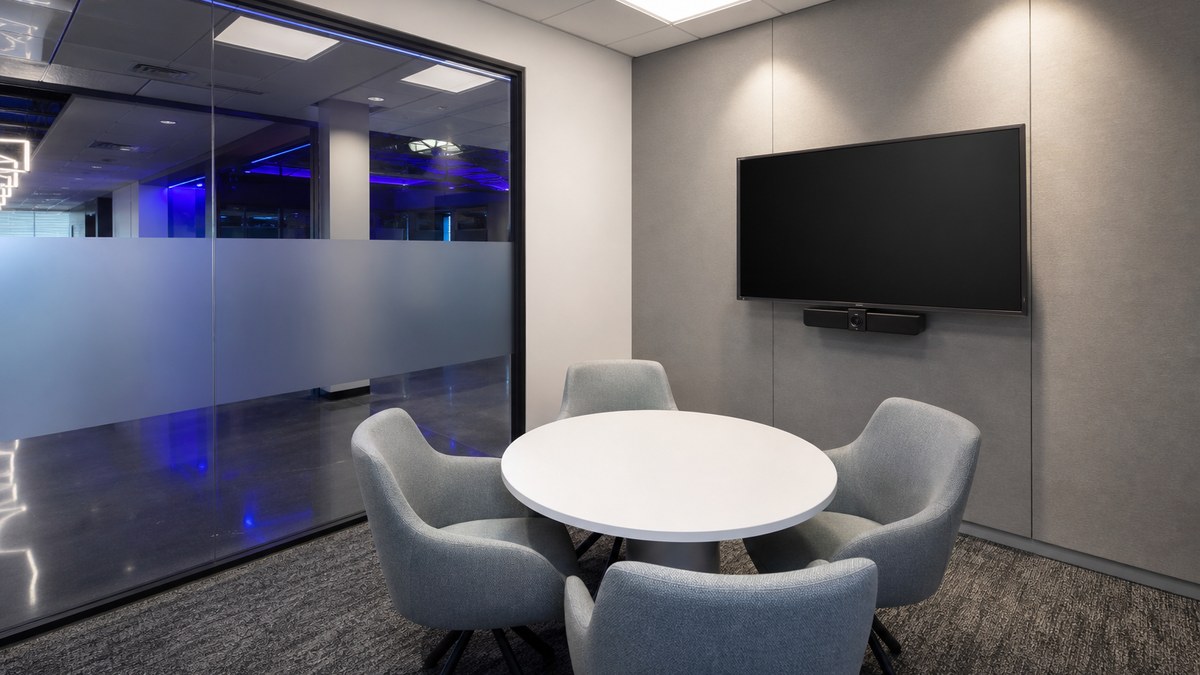
Small rooms are often lit by a single ceiling fixture that sits directly overhead, which is the worst position for a webcam. A soft source in front of the seating, a lit back wall and a vacancy sensor make a big difference in a small footprint.
Training rooms and classrooms
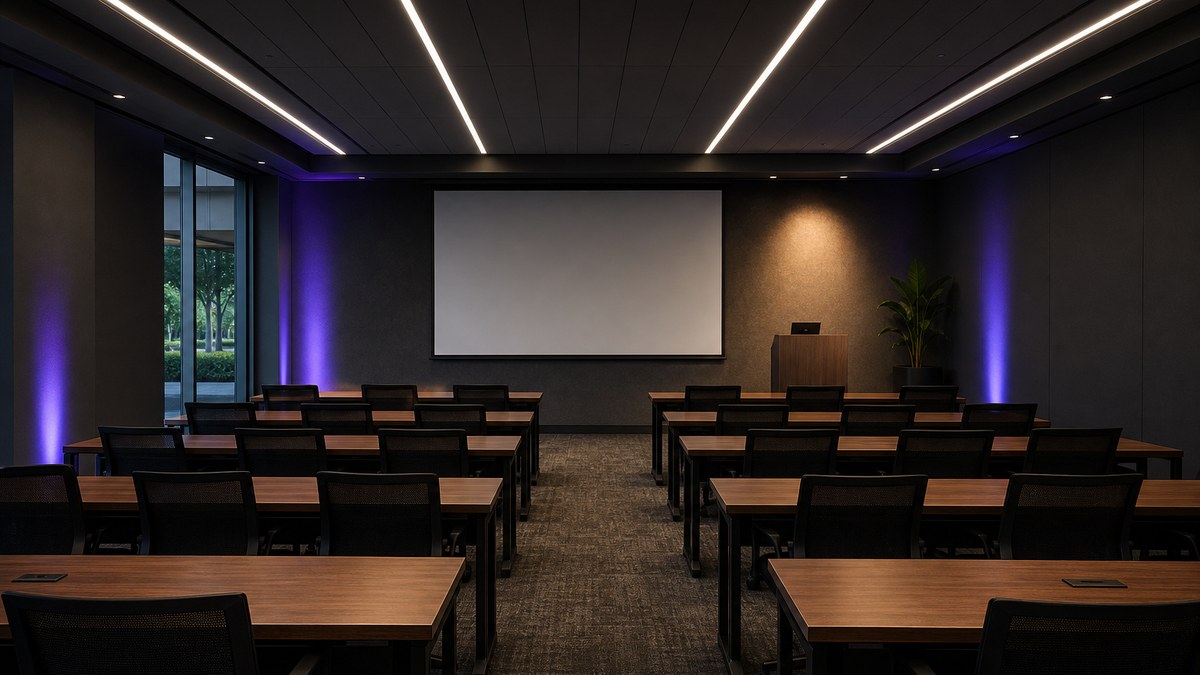
Training spaces need uniform light for note-taking, a separate presenter zone, a screen zone that can be dimmed, and controls simple enough for any instructor. Rows of fixtures controlled front-to-back give flexibility for projection.
All-hands rooms and multipurpose spaces
Larger rooms used for company meetings, town halls and events benefit from several control zones, presenter or stage lighting, and sometimes an LED video wall instead of projection. Our LED video wall team handles displays for lobbies, all-hands rooms and briefing centers.
Podcast rooms and content studios
A growing number of Plano companies are carving out small studios for webinars and video content. These rooms benefit from high-CRI, dimmable key and fill fixtures, a separately controlled background, and flicker-free drivers.
Retrofit or full redesign: which does your room need?
Not every meeting room needs new fixtures. The right approach depends on the ceiling, existing fixtures and how the room is used.
- Lamp or tube replacement: fastest and least disruptive, but it keeps the original fixture layout, which is often the real problem for video. Best for rooms that only need more efficient light.
- Retrofit kits: new LED optics and drivers in existing housings. Improves glare and dimming while reusing the ceiling openings.
- New fixtures and layout: the best result for camera-ready rooms, since fixtures can be placed where faces and walls need light.
- Controls-only upgrade: adding scene controllers, dimming and sensors to rooms that already have good LED fixtures.
Our guide to light fixture installation and replacement in Plano explains the trade-offs between tubes, retrofit kits and new fixtures in more detail.
How we plan a meeting room lighting upgrade
- Walkthrough and inventory: we visit each room type, note ceiling type, fixtures, windows, wall finishes, displays and AV equipment, and look at the camera view.
- Use and goals: how each room is used, how often it hosts video calls, and what the room should feel like for clients and staff.
- Lighting layout and fixture selection: fixture placement for faces and walls, color temperature, CRI and glare control.
- Controls and scenes: zones, scenes, sensors and AV integration, coordinated with your AV integrator and IT team.
- Mockup: a sample fixture or a pilot room so stakeholders can see the result in person and on camera.
- Proposal and phasing: a written, project-specific proposal with a room-by-room schedule.
- Incentive check: Plano is in the Oncor service area, and commercial lighting and controls upgrades may qualify for Oncor energy-efficiency incentive programs, depending on program availability; most programs require approval before work starts.
- After-hours installation: work in evenings or on weekends, a few rooms at a time, so your calendar keeps running.
- Programming and commissioning: scenes, sensor timeouts and dimming levels set and tested, including a live video call check.
- Handover: simple instructions for staff, fixture and control documentation, and a service plan.
What affects the cost of conference room lighting
Every office is different, so we price each project individually after a walkthrough. The main factors are:
- Number and size of rooms: one boardroom versus every meeting room on a floor or campus
- Ceiling type: grid, drywall, open or high ceilings, and how much ceiling work is needed
- Fixture type and quality: panels, linear pendants, wall washers, decorative fixtures, tunable white
- Controls: standalone room controls through networked systems and AV integration
- Electrical condition: existing circuits, dimming compatibility and code items
- Schedule: after-hours and phased work around bookings
You receive a clear, project-specific proposal before any work begins. For sourcing, our network also includes wholesale LED components.
Questions to ask before you hire
- Will you review the room through the actual video conferencing camera?
- How will the layout light faces and walls, not just the table?
- What CRI, R9 and color consistency do the specified fixtures have?
- Are the drivers flicker-free across the full dimming range?
- What scenes and sensors are included, and who programs them?
- Can the lighting integrate with our AV control system?
- How will installation be phased around our meeting schedule?
- Who handles service and adjustments after handover?
Plano LED Lights brings 15+ years as an authorized architectural lighting dealer and project coordinator. Our licensed installation partner has completed over 200 major sports and commercial projects across the US and Canada — NFL, NBA, NHL, MLS, NCAA and NASCAR. We handle design, supply, installation, programming and service with one accountable team. See our business lighting services in Plano, our guide to commercial LED lighting installation, or full design-build projects through the Luminance program.
Frequently Asked Questions
What is the best lighting for a conference room?
What color temperature is best for meeting rooms?
How do I light a conference room for video calls?
Why do people look dark or shadowed on our conference room camera?
Do conference rooms need occupancy sensors?
Can lighting connect to our AV system?
Can you upgrade conference rooms without disrupting meetings?
Do conference room lighting upgrades qualify for incentives in Plano?
How much does conference room lighting cost?
What areas do you serve?
Better meetings start with better light
Request a consultation, call us, or schedule a meeting and we will walk your conference rooms with you.
Related
More from Plano LED Lights: our services, service areas, and the full lighting blog. For building and monument signs, see American LED Signage.
Our DFW lighting network: Dallas commercial LED lighting, Fort Worth LED lighting, Arlington LED lighting, Irving LED lighting, statewide Texas LED lighting, wholesale LED components, fiber optic starlight ceilings, 360° fiber optic lighting, premium pool lighting, modular building solutions, and Dallas modular structures.